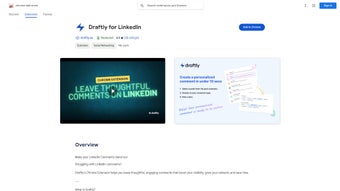

Download Raftwise – AI‑Powered LinkedIn Comment Generator for Chrome
Why Raftwise Is the Missing Piece in Your LinkedIn Strategy
In the fast‑moving world of professional networking, the quality of your interactions can make the difference between being noticed or fading into the background. Raftwise, a Chrome extension built specifically for LinkedIn users, tackles this challenge head‑on by delivering AI‑generated, context‑aware comments that feel natural and authentic. Rather than settling for generic “Great post!” replies, you get thoughtfully crafted responses that reflect the content of the original post, your own voice, and the nuances of the conversation.
This not only saves you precious time but also positions you as an engaged, insightful member of your industry community. By leveraging advanced natural language processing, Raftwise understands the sentiment, key points, and professional tone of each LinkedIn update, then produces a selection of comments you can choose from or fine‑tune. The result is a richer comment section, deeper relationships, and a noticeable boost in your personal brand visibility—all without compromising data privacy.
Raftwise promises a secure, free‑to‑try experience, making it an essential tool for anyone serious about scaling their LinkedIn presence efficiently.
Key Features That Set Raftwise Apart
- AI‑Driven Comment Generation: Utilizes cutting‑edge language models to produce unique, relevant comments in seconds.
- Contextual Understanding: Analyzes post content, hashtags, and author tone to ensure each comment fits naturally.
- Multiple Comment Suggestions: Offers three alternative responses per post, letting you pick the best match for your style.
- One‑Click Insertion: Seamlessly injects the chosen comment into LinkedIn’s comment box with a single click.
- Privacy‑First Architecture: No personal data is stored or sold; all processing occurs securely via encrypted channels.
- Custom Tone Settings: Adjust the formality level—from conversational to highly professional—to match your brand voice.
- Free Tier with Optional Upgrade: Access core features at no cost, with premium plans offering unlimited daily comments and priority support.
- Cross‑Platform Compatibility: Works on Windows, macOS, Linux, and Chrome on Android/iOS, ensuring you can comment on the go.
How to Install Raftwise and Get It Working on Your Device
Step‑by‑Step Installation Guide
- Open Google Chrome and navigate to the Chrome Web Store.
- Search for “Raftwise – LinkedIn Comment Generator” and click the Add to Chrome button.
- A confirmation dialog will appear; select Add extension to complete the installation.
- Once installed, you’ll see the Raftwise icon (a small raft) appear in Chrome’s toolbar.
- Click the icon, log in with your LinkedIn credentials (OAuth flow is handled securely by LinkedIn), and grant the minimal permissions needed to read post content.
- Navigate to LinkedIn, open any post, and click the Raftwise button that now appears below the comment field to generate suggestions.
Operating System Compatibility
Raftwise is a Chrome extension, which means it runs on any device that supports the Chrome browser. This includes:
- Windows 10, 11 and later
- macOS Monterey, Ventura, and newer
- Popular Linux distributions (Ubuntu, Fedora, Debian, etc.)
- Chrome on Android smartphones and tablets
- Chrome on iOS (iPhone & iPad) – note that iOS restrictions limit some background processes, but comment generation works flawlessly.
Pros, Cons, Frequently Asked Questions, and Final Thoughts
Pros & Cons
- Pros:
- Speeds up the commenting process dramatically.
- Generates high‑quality, context‑aware comments that feel personal.
- Free tier available for casual users.
- Works on all major operating systems via Chrome.
- Strong privacy policy – no data resale.
- Customizable tone settings align with brand voice.
- Cons:
- Relies on an internet connection; offline use is not supported.
- Premium features (unlimited comments) require a subscription.
- AI suggestions may occasionally need minor tweaking to match exact nuance.
- Chrome‑only; Firefox or Edge users must switch browsers or use a workaround.
Frequently Asked Questions (FAQ)
Is Raftwise safe to use with my LinkedIn account?
Yes. Raftwise uses OAuth authentication, meaning your LinkedIn credentials never touch our servers. All data is encrypted in transit, and the extension only reads public post content to generate comments.
Can I customize the tone of the generated comments?
Absolutely. In the extension settings you can choose between “Conversational,” “Professional,” and “Formal” tones, allowing the AI to match the voice you prefer for each interaction.
How many free comments can I generate per day?
The free tier provides up to 15 AI‑generated comment suggestions per day, which is sufficient for most casual users. Unlimited daily suggestions are unlocked with the premium plan.
Does Raftwise work on mobile LinkedIn apps?
Raftwise functions within the Chrome browser on Android and iOS. While it cannot integrate directly into the native LinkedIn app, you can open LinkedIn in Chrome and use the extension there.
What happens to my data after I delete the extension?
All locally stored settings are removed when you uninstall the extension. Since Raftwise does not retain any personal data on its servers, there is nothing left to delete after removal.
Conclusion & Call to Action
Raftwise fills a clear gap in the LinkedIn ecosystem: it empowers professionals to engage thoughtfully without the time‑sink of crafting every comment from scratch. By blending AI accuracy with a strong privacy stance, the extension offers a secure, free, and highly effective way to boost your visibility, nurture relationships, and position yourself as a thought leader. Whether you’re a sales professional, recruiter, or simply someone who wants to make a stronger impression on your network, Raftwise provides the tools to do so efficiently. Ready to transform your LinkedIn interactions? Download Raftwise now and start generating authentic comments that drive real conversations.



.png)



